 Language


Amazon’s “Sorry, something went wrong on our end” error appears when Amazon cannot complete or display a page request normally.
Sometimes the problem is temporary and comes from Amazon itself. In other cases, it may be related to your internet connection, browser data, URL, IP address, location, or request activity.
For everyday users, a refresh or browser reset may solve the issue. For businesses accessing Amazon data at scale, repeated errors may indicate problems with request frequency, sessions, IP quality, or proxy configuration.
This guide explains why the Amazon error appears and what you can do to fix it.
What Does the Amazon Error Mean
The message means Amazon could not process the requested page correctly.
Despite the phrase “on our end,” Amazon is not always responsible. A failed request can also result from network problems, outdated URLs, browser cookies, IP reputation, geographic differences, or unusual traffic patterns.
A useful rule is simple. If the page works after one refresh, the issue was probably temporary. If the error keeps appearing, look at your connection, browser, URL, and IP setup.
Why Does Amazon Show “Something Went Wrong”
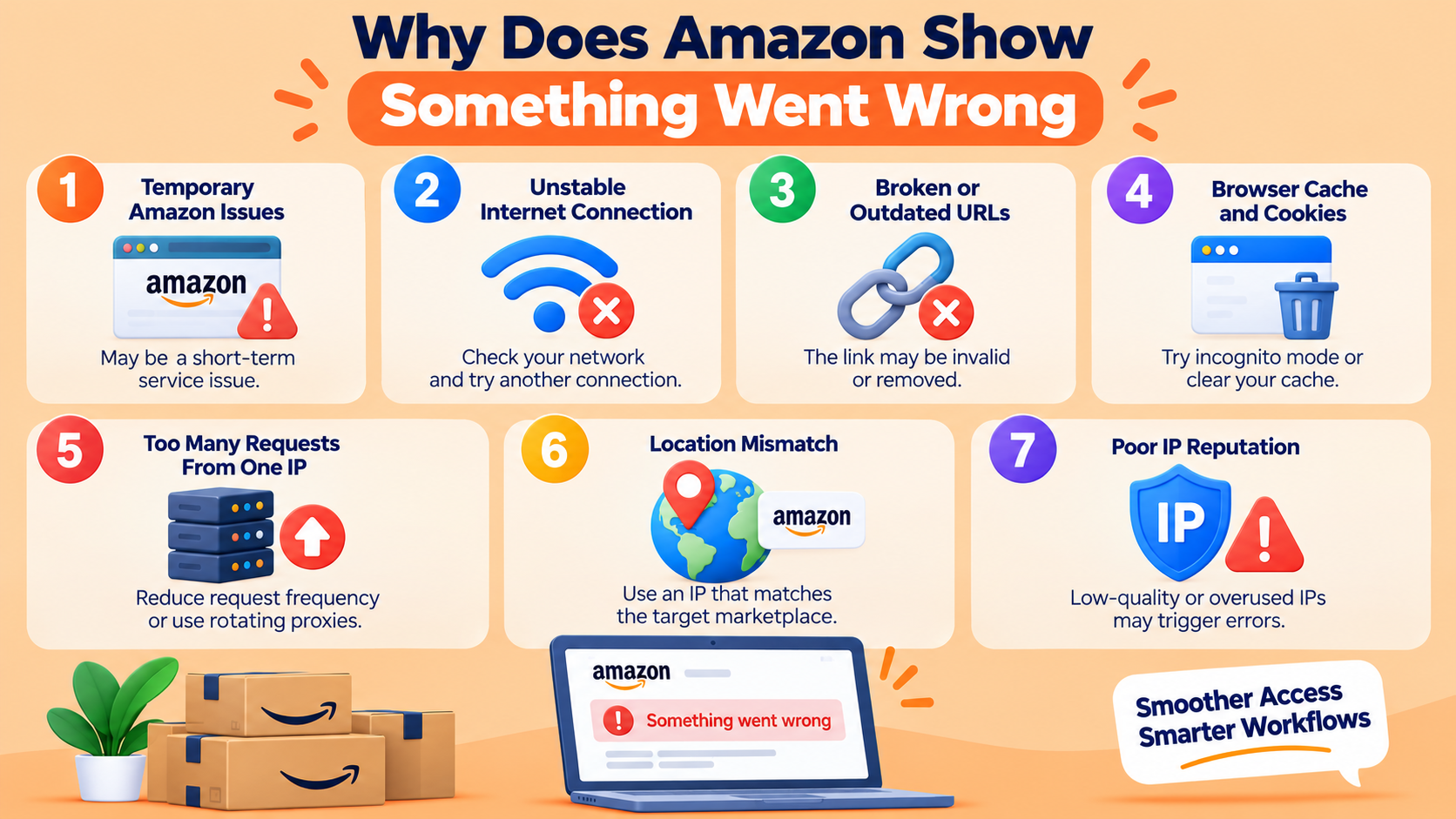
1. Temporary Amazon Issues
Amazon services can occasionally experience short-term disruptions.
A product page, search result, or category page may fail briefly and then return to normal. If several unrelated Amazon pages stop working at the same time, waiting a few minutes before trying again is often the easiest solution.
2. Unstable Internet Connection
Weak Wi-Fi, DNS issues, VPN interruptions, or connection drops can stop Amazon from loading properly.
Open another website to test your network. You can also switch from Wi-Fi to mobile data or another connection. If Amazon works normally on the second network, the original connection may be responsible.
3. Broken or Outdated URLs
Old bookmarks, tracking URLs, removed listings, or malformed links may lead to an Amazon error page.
Instead of repeatedly refreshing the same address, open Amazon directly and search for the product again. If the new page works, the original URL was probably outdated or invalid.
4. Browser Cache and Cookies
Amazon uses cookies and session data to maintain browsing and account activity. Old or conflicting browser data can sometimes interfere with a new request.
Try opening the page in an incognito or private window. If Amazon works there, clearing Amazon-related cookies and cache may solve the problem.
5. Too Many Requests From One IP
This issue is especially relevant to automated data collection.
Sending a large number of requests from one IP within a short period can create unusual traffic patterns. High concurrency and aggressive retries may also increase failed requests instead of improving performance.
Reducing request frequency and distributing traffic can make the workflow more stable. RapidProxy Rotating Residential Proxies are suitable for use cases that require residential IP rotation or sticky sessions.
6. Location Mismatch
Amazon operates separate marketplaces across different countries and regions.
Prices, product availability, shipping options, promotions, and search results may vary depending on location. If the IP region does not match the Amazon marketplace being accessed, results may become inconsistent.
For regional monitoring, keep the target marketplace and IP location aligned.
7. Poor IP Reputation
Not all IP addresses have the same reputation.
Shared or heavily reused IPs may have a history of unusual traffic. In these situations, simply switching between low-quality IP addresses may not solve repeated Amazon errors.
IP quality, location coverage, session stability, and request behavior should all be considered together.
How to Fix the Amazon “Something Went Wrong” Error
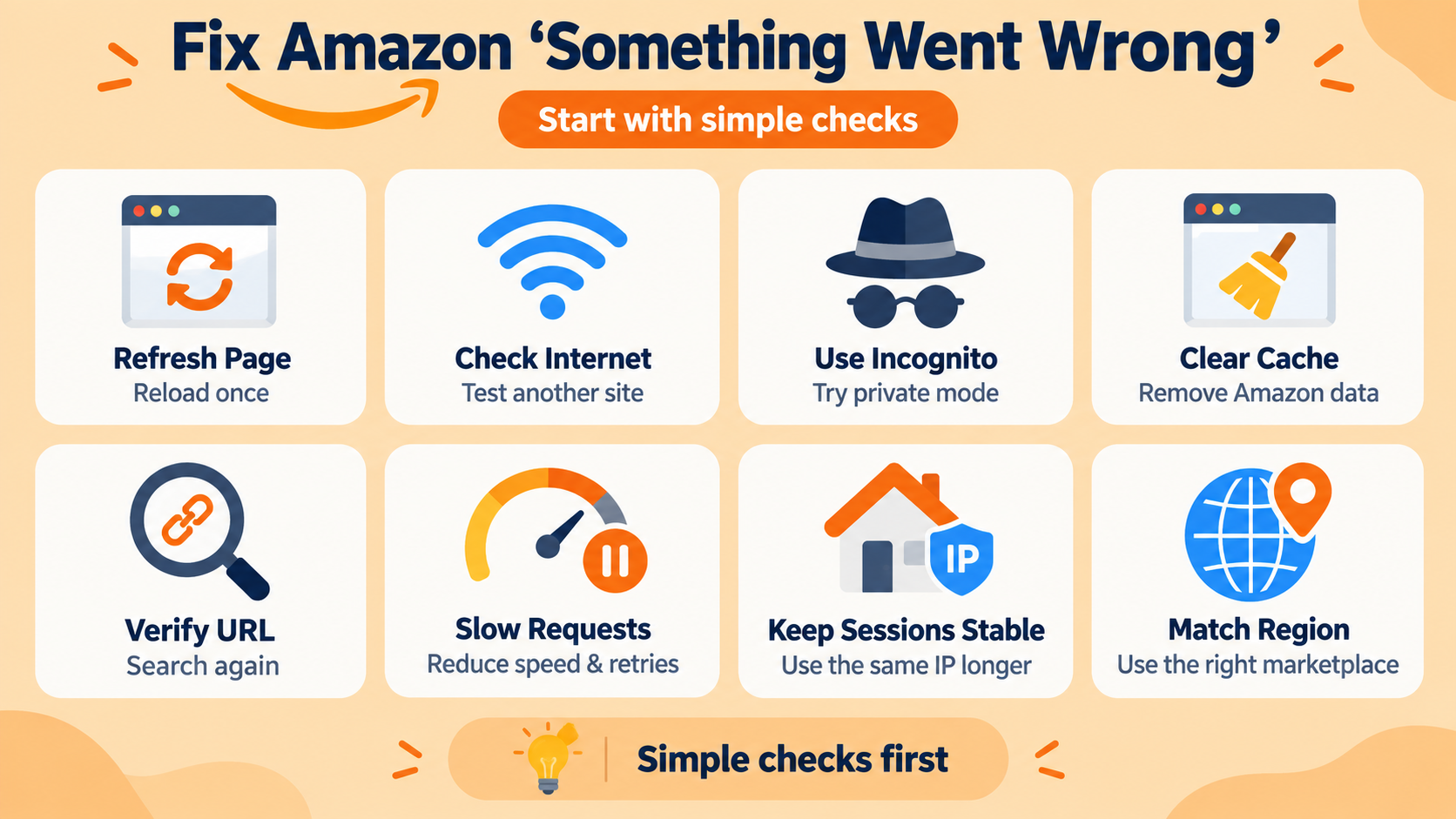
Start with basic troubleshooting before changing your network or proxy configuration.
Refresh the Page
Reload the page once.
Temporary Amazon errors often disappear immediately. Avoid repeated rapid refreshes because they rarely help when the problem is related to request activity or the IP address.
Check Your Internet Connection
Confirm that other websites load correctly.
Reconnect to your network, restart your router if necessary, or test another connection. This helps determine whether the error is limited to Amazon or caused by your network.
Use Incognito Mode
Open the same Amazon page in a private browser window.
If the page works normally, existing cookies, cache, browser extensions, or session data may be involved.
Clear Cache and Cookies
Clear Amazon-related browser data and restart your browser.
Remember that deleting cookies may sign you out of Amazon and other websites.
Verify the URL
Open Amazon directly and search for the product or page again.
This is particularly useful when the original link comes from an old bookmark, advertisement, tracking link, email, or third-party website.
Reduce Request Frequency
For automated workflows, review how quickly requests are being sent.
Lower concurrency, introduce reasonable delays, and avoid immediate retry loops. When a request fails, waiting before trying again is usually more stable than sending multiple retries immediately.
Keep Sessions Consistent
Constant IP rotation is not ideal for every workflow.
Some tasks require the same network identity across several related requests. In these cases, RapidProxy Static Residential Proxies can provide a persistent residential IP for longer sessions.
Match the IP With the Target Region
Use an IP location that matches the Amazon marketplace being monitored.
This is particularly important when collecting regional prices, shipping information, search results, or product availability.
What If the Error Happens During Amazon Data Collection
Repeated Amazon errors during automated data collection require a more systematic approach.
Do not assume that every failure is caused by the proxy. Start by checking:
- Request frequency
- Response status
- Failed URLs
- IP addresses
- Target locations
- Session duration
- Retry frequency
These details can show whether failures are connected to a particular page, IP, region, or increase in traffic.
It is also important to balance speed with reliability. Increasing concurrency may produce more requests per minute, but it may also increase errors when the workflow is not configured properly.
A more stable setup combines controlled request rates, consistent sessions, suitable IP locations, monitoring, and reliable proxy infrastructure.
Rotating vs Static Residential Proxies
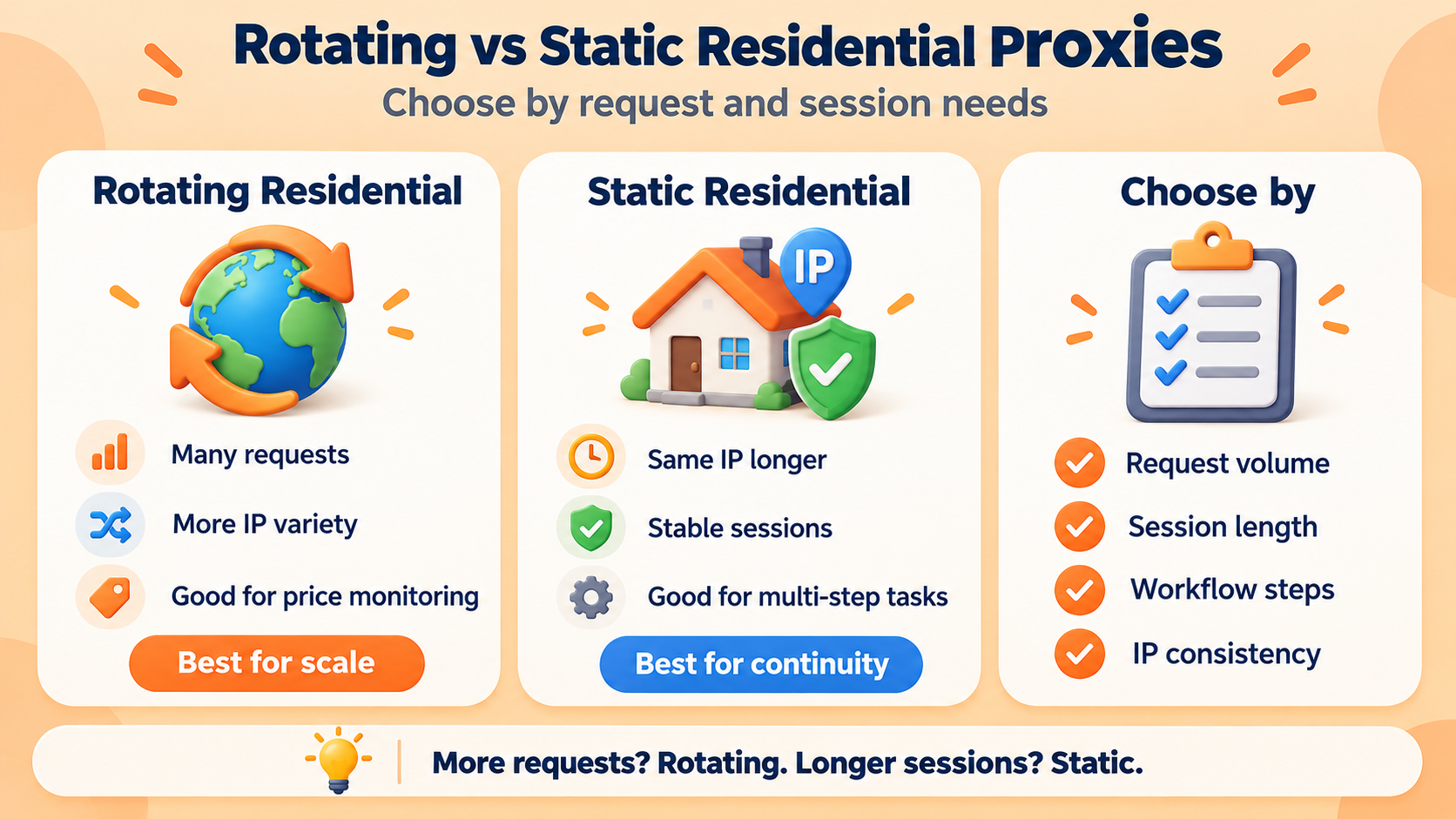
Rotating and static residential proxies solve different problems.
Rotating residential proxies are generally better for large numbers of independent requests. Requests can be distributed across multiple residential IP addresses instead of relying on a single network identity.
Static residential proxies are better when the same IP needs to remain active for a longer period.
For example, large-scale product or price monitoring may benefit from rotating IPs, while workflows involving several connected steps may require a static or sticky session.
The right option depends on how the workflow handles requests and sessions.
How to Reduce Future Amazon Errors
Preventing errors is usually more efficient than repeatedly fixing them.
For automated Amazon workflows, follow a few basic practices:
- Keep request rates reasonable.
- Control concurrency.
- Add delays between retries.
- Monitor failed requests and IPs.
- Keep browsers and automation tools updated.
- Match IP locations with target marketplaces.
- Maintain session consistency when necessary.
- Test small workloads before scaling.
No proxy setup can guarantee uninterrupted access. Amazon may also change its website, infrastructure, and technical controls over time, so monitoring remains important.
Is It Legal to Scrape Amazon
Web scraping can involve legal, contractual, copyright, and privacy considerations. Requirements vary depending on the jurisdiction, type of data, and intended use.
Businesses should review applicable laws and Amazon’s terms before starting a data collection project. Avoid accessing private or protected information without authorization and avoid traffic patterns that could disrupt a website.
Proxy infrastructure should be used for legitimate and compliant purposes such as market research, price monitoring, testing, and authorized data collection.
Frequently Asked Questions
Why does Amazon say “Sorry, something went wrong on our end”?
The message appears when Amazon cannot process a page request normally.
The cause may be a temporary Amazon issue, unstable internet connection, browser data, broken URL, IP problem, geographic mismatch, or unusual request activity.
What are Amazon dog pages?
Some Amazon error pages include images of dogs, so users often refer to them as Amazon dog pages.
The image does not identify the exact problem. You still need to determine whether the issue comes from the page, browser, network, or IP.
Why does Amazon keep saying something went wrong?
If the message appears repeatedly, the problem is less likely to be a one-time page error.
Check your browser data, connection, URL, IP address, request rate, and target location to identify what is causing the repeated failures.
Can changing my IP fix the Amazon error?
It may help if the current IP is associated with repeated failures.
However, changing IP addresses alone does not guarantee a fix. Request frequency, session behavior, location, and IP quality should also be reviewed.
Should I use rotating or static proxies for Amazon?
Rotating residential proxies are more suitable for large numbers of independent requests.
Static residential proxies are more appropriate when a workflow needs the same IP for a longer session.
The best option depends on your request volume, target region, session duration, and workflow requirements.
Final Thoughts
Amazon’s “Sorry, something went wrong on our end” error does not have one universal cause.
For normal browsing, refreshing the page, checking the connection, verifying the URL, using incognito mode, or clearing browser data will solve many cases.
For repeated errors during Amazon data collection, look at the entire workflow instead of simply retrying requests. Request frequency, IP quality, session consistency, geographic targeting, and proxy configuration all affect stability.
Finding the actual cause first makes it much easier to apply the right fix.





 Flux Stream Network Limited
  RM A5,7/F, ASTORIA BUILDING, NO.34 ASHLEY ROAD, TSIM SHA TSUI, HONG KONG