 Language


Registering a new Telegram account today is becoming less and less like simply receiving an SMS. What worked flawlessly yesterday can now lead to an instant ban or a reCAPTCHA verification request. Many users, especially those trying to create multiple profiles, run into a situation where the system simply stops accepting numbers or returns the "Phone Number Flood" error.
Telegram has evolved into a complex ecosystem, and its anti-fraud system works on a level comparable to the algorithms used by major banks. It does not just verify the SMS code — it analyzes dozens of parameters, building a digital fingerprint for every account. If you plan to work with multiple profiles — for traffic arbitrage, managing a network of channels, or marketing — you cannot do without understanding these mechanisms.
What Does Telegram Actually Check When Creating an Account
Telegram's anti-spam system does not analyze isolated factors, but their combination. It evaluates how natural the process of creating a new profile looks. Let's look at the key parameters the system uses to make its decision.
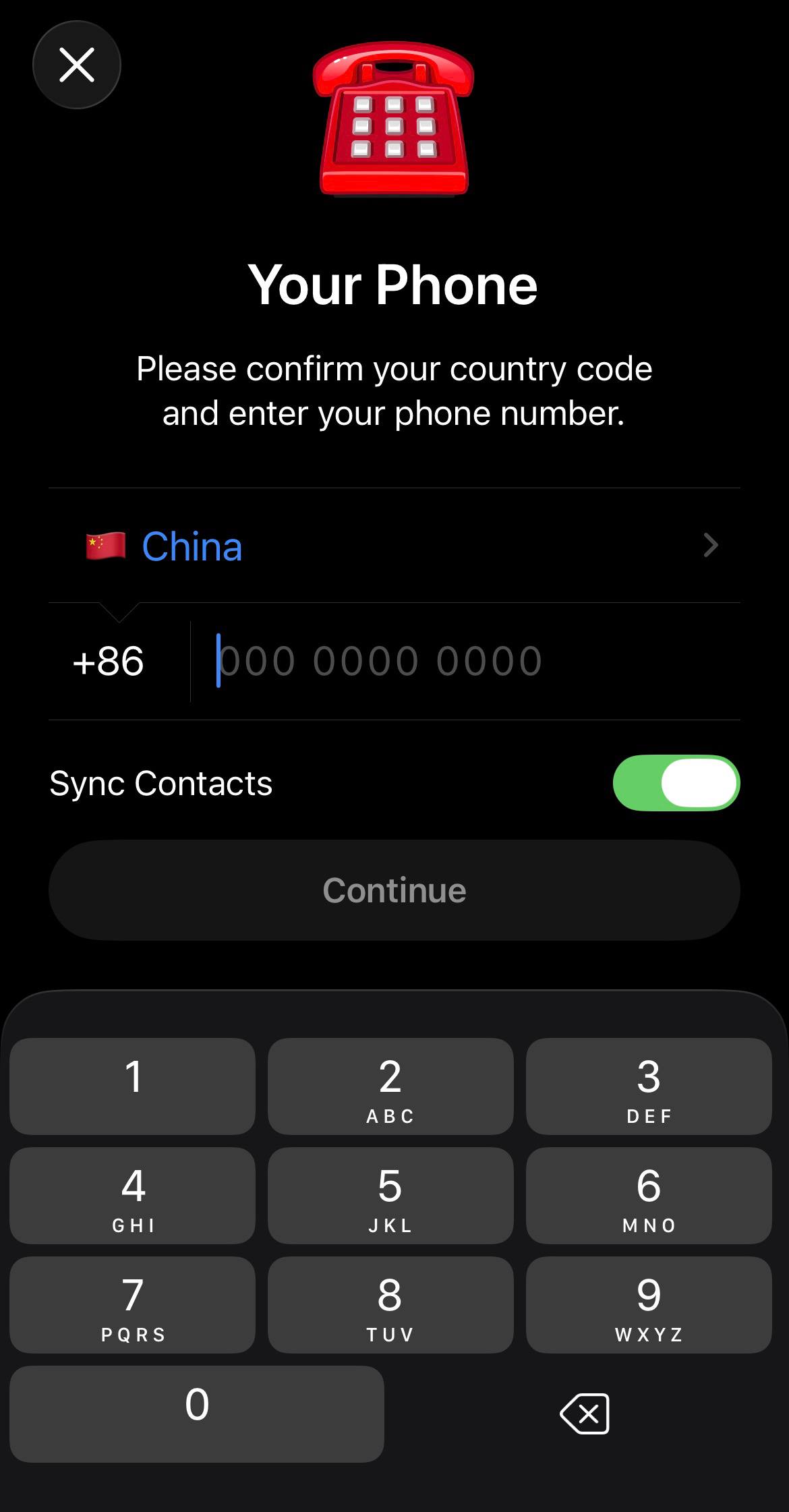
Phone Number
This is the basic entry point. Telegram checks not only whether the number belongs to you by sending an SMS, but also its history. Has this number been involved in spam activity before? What range was it issued from? Special attention is paid to the type of number. Virtual SMS services, VoIP numbers, and public virtual numbers fall into a high-risk category. The system often filters them out at the code request stage, marking them as "suspicious." The quality of the number directly determines the profile's starting reputation.
IP Address and Network Environment
The IP address is one of the most important elements of the digital trail. The system analyzes whether this IP is being used for mass registrations. If 3 to 5 accounts are created from one address within a short period, protection is triggered (Flood Error). The type of IP is also taken into account: whether it belongs to a data center, a proxy server, or a VPN. A sharp geographical mismatch during registration — for example, a number from one country and an IP from another — is also treated as an anomaly.
Device Fingerprint
This is one of the hardest parameters to fake. Telegram collects device data: model, OS version, list of apps, system settings, push tokens, and even unique identifiers such as SafetyNet tokens on Android. A unique hash is built from this data. If many accounts are registered from the same fingerprint, that is a clear sign of a farm. Modern protection methods require generating unique parameters for every session.
Geography and Localization
The system checks for a logical match: the country of the phone number should align with the IP address, the device interface language, and even the time zone. A mismatch in even one of these elements increases the risk of a ban. For example, an Indonesian number being registered from a German IP is a strong signal for the anti-fraud system.
Registration Frequency
This is a behavioral pattern. The system tracks how many accounts are created from the same IP or device within a certain period of time. Exceeding the threshold, usually 2 to 3 accounts per day, leads to a temporary or permanent block on the number.
Post-Registration Behavior
Anti-fraud does not stop working after the code is entered. It monitors the first actions. If a newly created account immediately starts mass messaging, joins dozens of groups, or adds contacts, that leads to an instant ban. The messenger expects natural behavior: reading channels, reacting to messages, and pauses between actions.
Understanding these factors leads to the main question: how do you pass this multi-step screening if you need to create not one, but a dozen accounts for work?
Automating Registration with Telegram Soft Expert
In manual mode, it is almost impossible to account for all the anti-fraud nuances. Telegram Expert was created specifically for systematic work at scale. It is not just a messaging tool, but a full platform that covers the entire account lifecycle — from "birth" to fully active use.
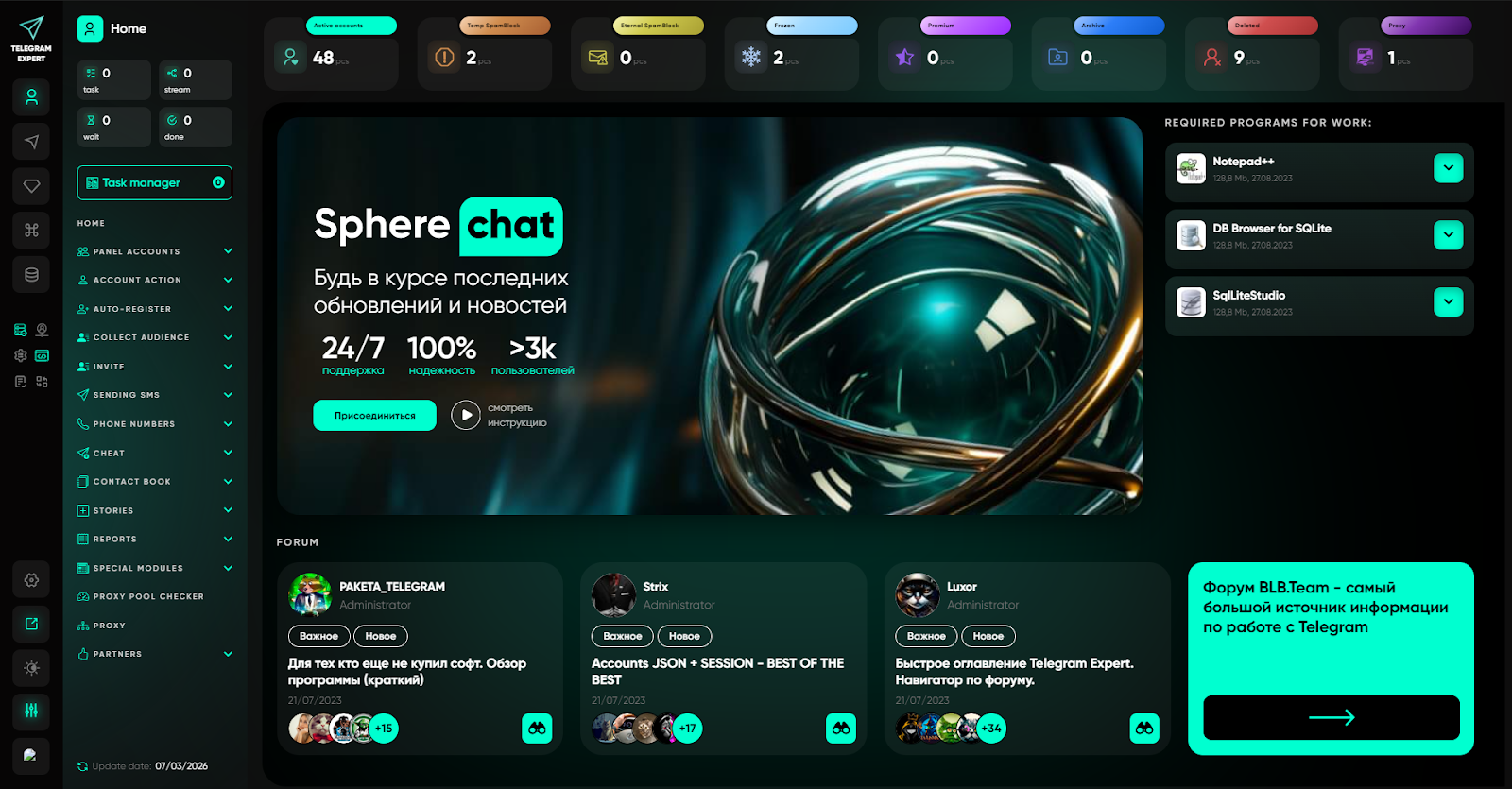
In the context of registration, Telegram Expert offers an approach based on facts rather than luck. The software does not just create an account — it helps construct it in a way that looks as natural as possible to the anti-fraud system. Everything starts with the "Parameter Generator" module.
Instead of using "generic" emulator settings, Telegram Soft Expert allows you to create a unique digital fingerprint for each profile. This is achieved through fine-tuning dozens of parameters that Telegram checks first.
Parameter Generator: Building the Perfect Digital Trail
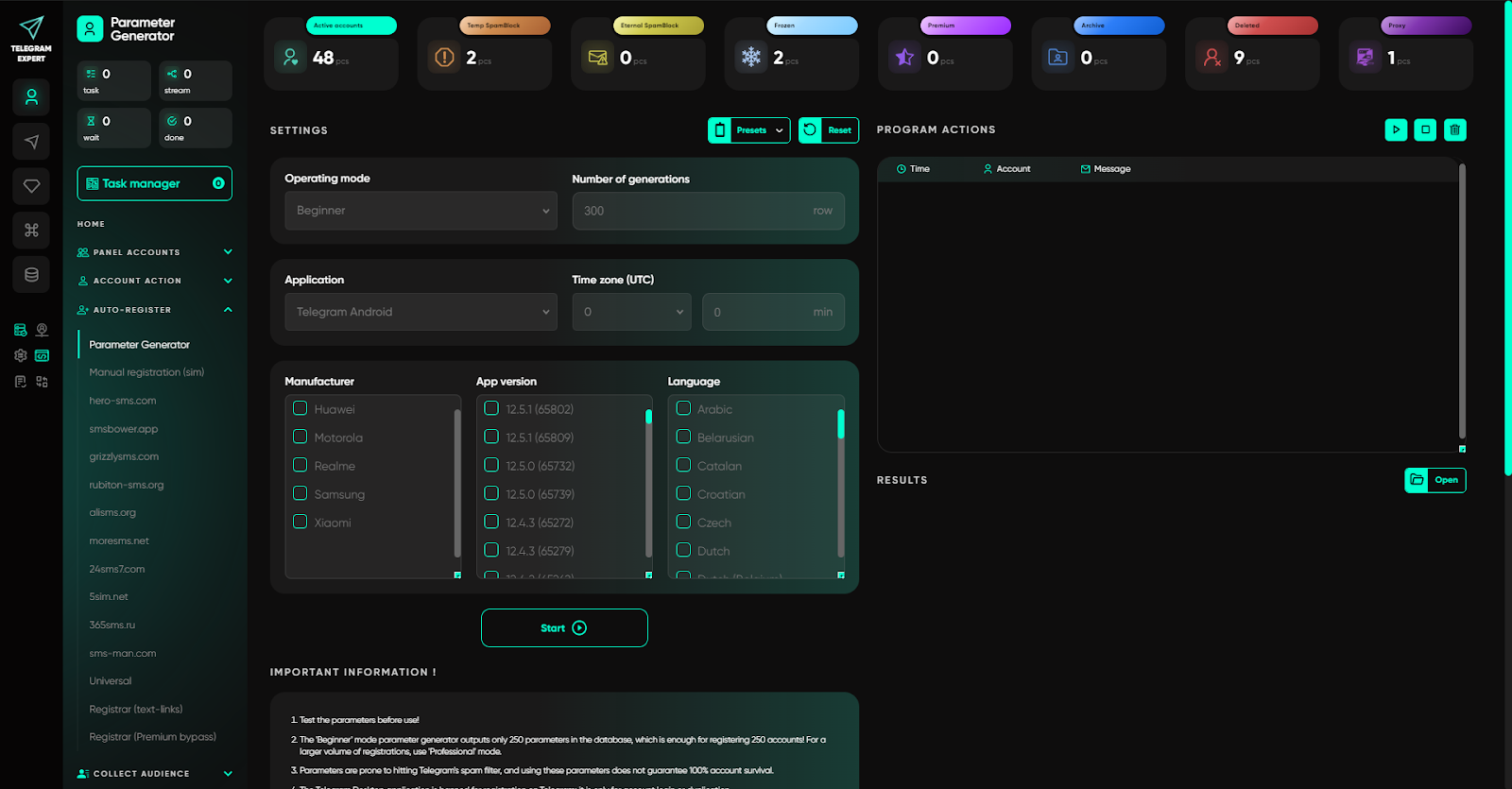
For registration to succeed and the account not to get banned an hour later, the environment must be configured correctly. In Telegram Expert, this is handled by the "Parameter Generator" module, which works in two modes:
Beginner Mode
Ideal for getting started. Here, the software automatically selects most of the parameters, and the user only needs to specify general settings such as the time zone, for example UTC+1 for Italy. This allows you to start quickly while minimizing the risk of mistakes.
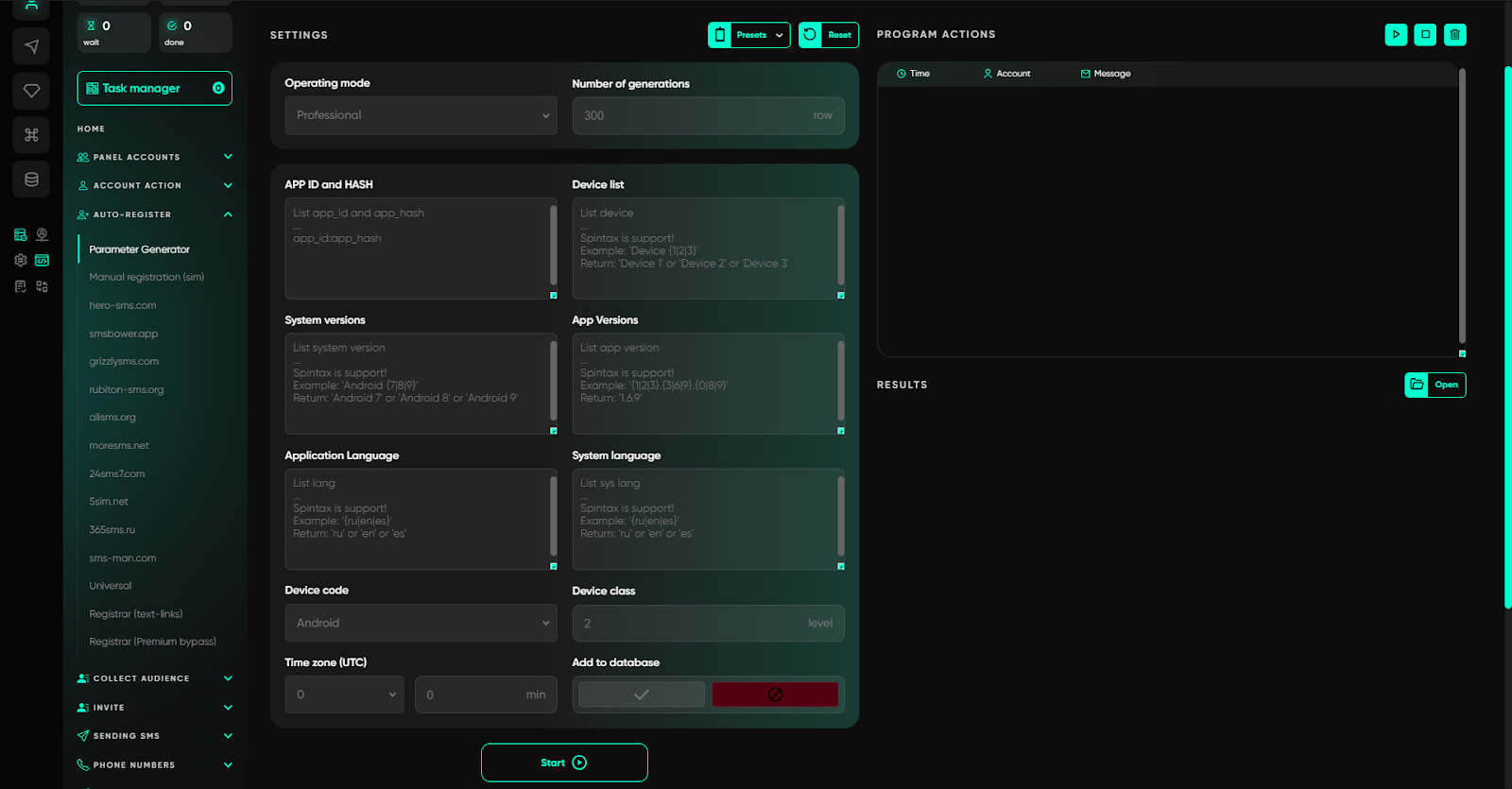
Professional Mode
For those who need full control and maximum uniqueness. Here, you can build an account turnkey, specifying the following data manually or via spintax:
App ID and App Hash: unique application identifiers (for Android, Telegram X, or Desktop) that allow interaction with Telegram servers. The software uses official pairs so that requests look like they are coming from a real client.
Device list: you can specify not just a brand, but a specific model, for example not just Samsung, but "Samsung SM-G973F." The models are taken from real device databases.
System versions: this is not just "Android 11," but a specific SDK, for example SDK 30. For mass registration, it is recommended to use spintax (SDK {29|30|31|32|33}) so that each account gets a random OS version.
App and system language: an important point for geolocation. If an account is being registered for Russia, the app language is set to "ru" and the system language, for example, to "ru-ru." For the US, this would be "en" and "en-us." This creates the full illusion of a real user from a specific region.
How the Registration Process Works
Once the database of unique parameters has been generated, the account creation stage begins. Telegram Expert offers several scenarios, but the key role here is played by mobile device emulation. In the registration modules — both manual and automatic — emulation via AntiSafety technology is used. When Telegram requests proof of device authenticity, the software generates real SafetyNet tokens (a unique digital signature confirming that the device is genuine and not compromised) and push tokens. This is what fundamentally sets Telegram Soft Expert apart from simple Android emulators that are easily detected by anti-fraud systems. The system sees not an abstract virtual machine, but a real phone with Google Play certificates.
The data entry process itself depends on which source of numbers you use:
Manual Registration (Physical SIM Cards)
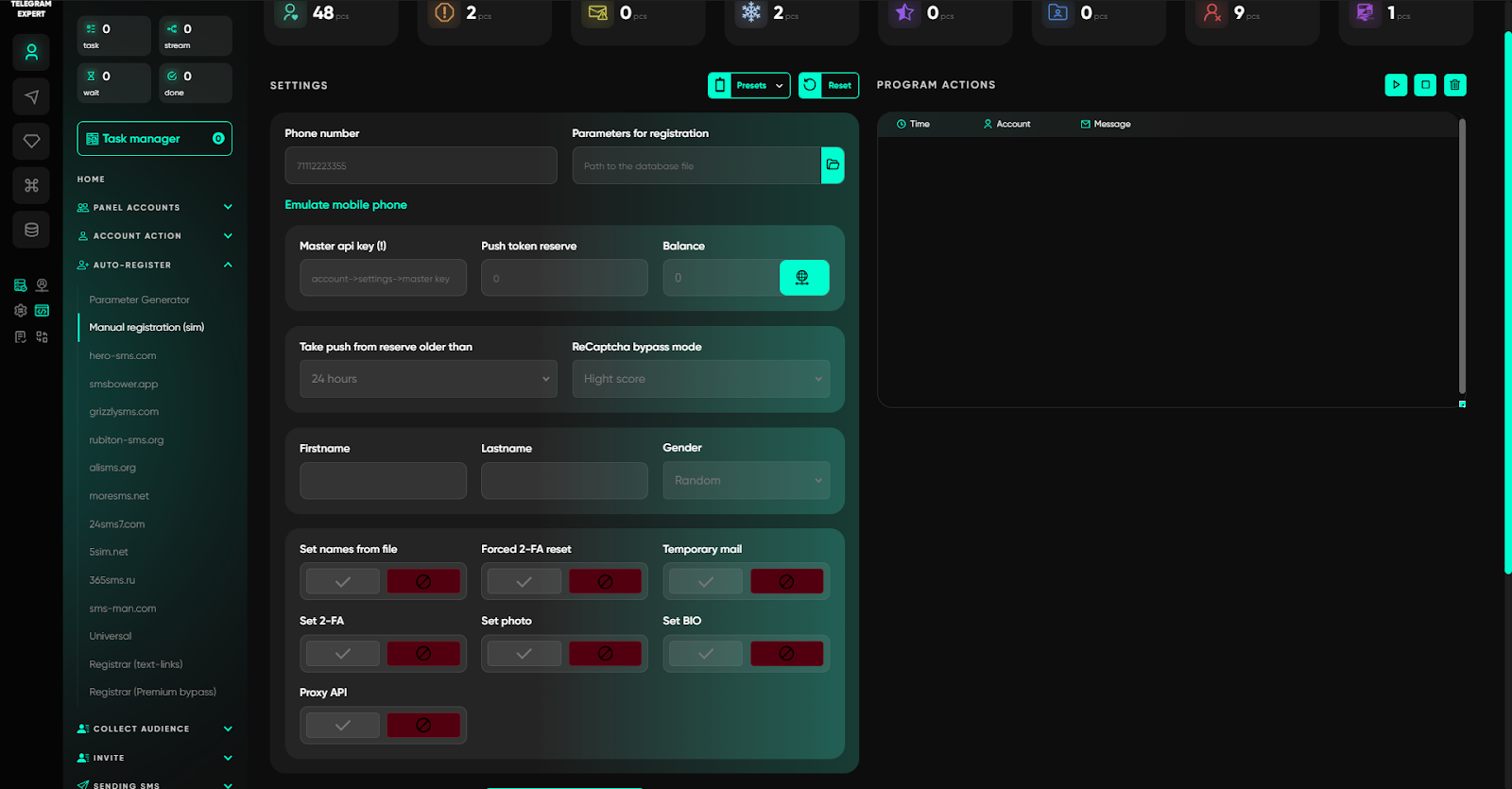
This scenario is as close to reality as possible. You use a real SIM card and launch the manual registration module in the Telegram Expert interface. The software picks up the prepared parameters — device model, OS version, language settings — and emulates sending the request. After the SMS arrives on the physical number, you manually transfer the code into the program interface. The software then completes the registration, automatically setting the name, photo, and bio if this was configured. This approach gives you 100% control over the process and is ideal for working with clean carrier-issued numbers.
Automatic Registration via SMS Services
When the volume becomes serious, automation comes into play. In the "Registration via SMS Services" section, the user selects one of ten integrated providers. If the required service is not on the list but the user has an API, the Universal Registrar is used, allowing the software to connect to any SMS provider manually.
The launch settings look like this:
- Geo and operator selection: you can specify a particular country, for example Indonesia, and even a preferred mobile operator to obtain trusted numbers.
- Price filter: the minimum and maximum rental cost of a number is set so you do not overpay for "premium" ranges if they are not needed.
- Waiting timeouts: this defines how many seconds to wait for an SMS from the service before requesting the code again or changing the number.
- Code delivery type: you can choose the priority method — SMS, call, or flashcall (an automatic missed call).
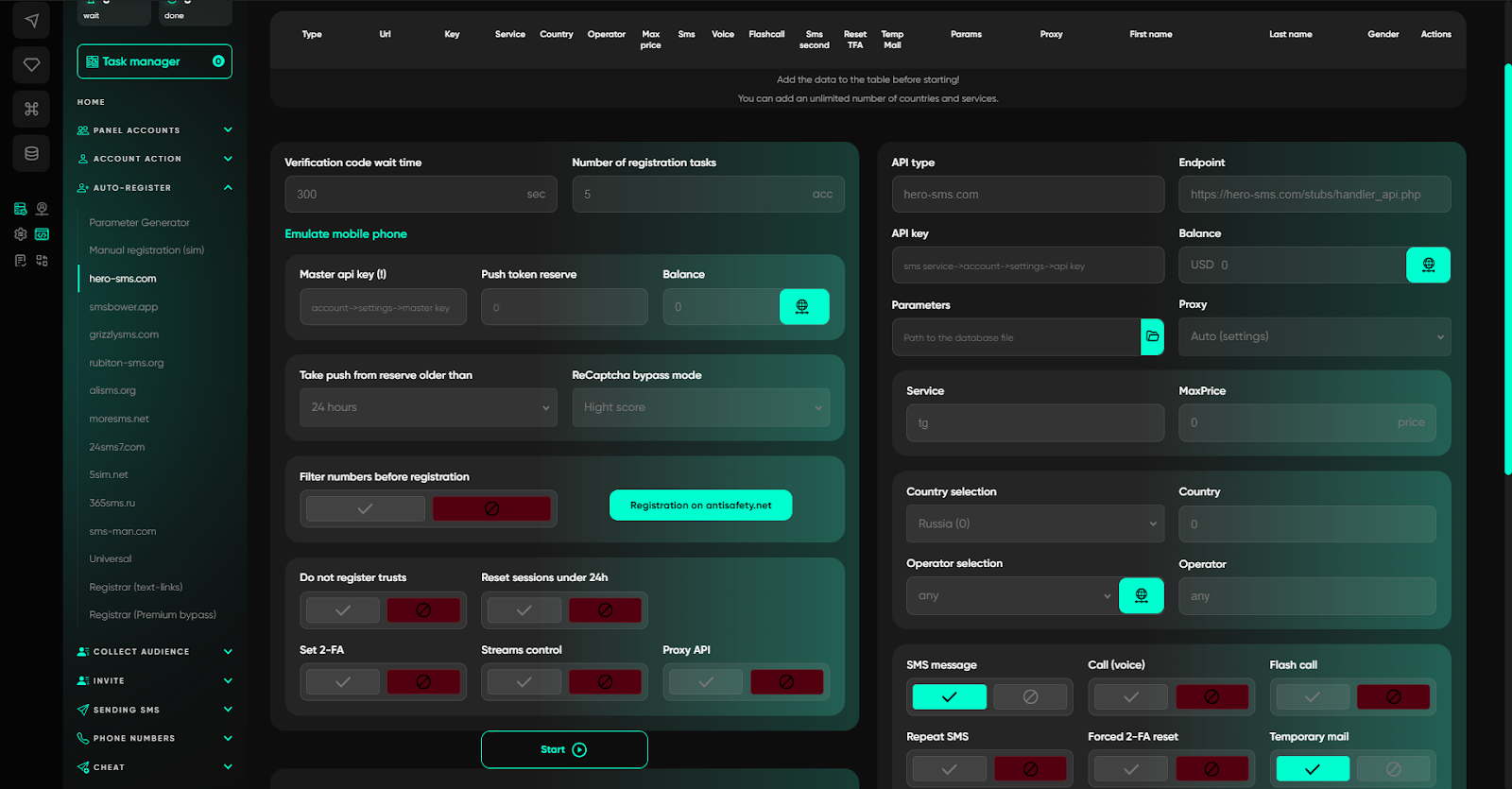
After launch, Telegram Soft Expert independently requests a number from the service, sends the registration request, and starts polling for the code. In the module settings, you can choose the priority code delivery method: SMS, call, or flashcall. But for difficult regions where communication channels are unstable, there is a more reliable scenario — simply activate all available methods. In that case, the software goes through them one by one: first it waits for an SMS; if the code does not arrive, it initiates a call and recognizes the voice message; if that also fails, it tries to catch a flashcall. The process continues until the code is received by at least one method within the specified time window.
If Telegram requests reCAPTCHA during registration — which has become common practice in 2026 for suspicious IPs or "fresh" numbers — Telegram Expert can connect a bypass module if you activate it. The user does not need to do anything manually: the program waits for the solution, inserts the confirmation, and continues registration.
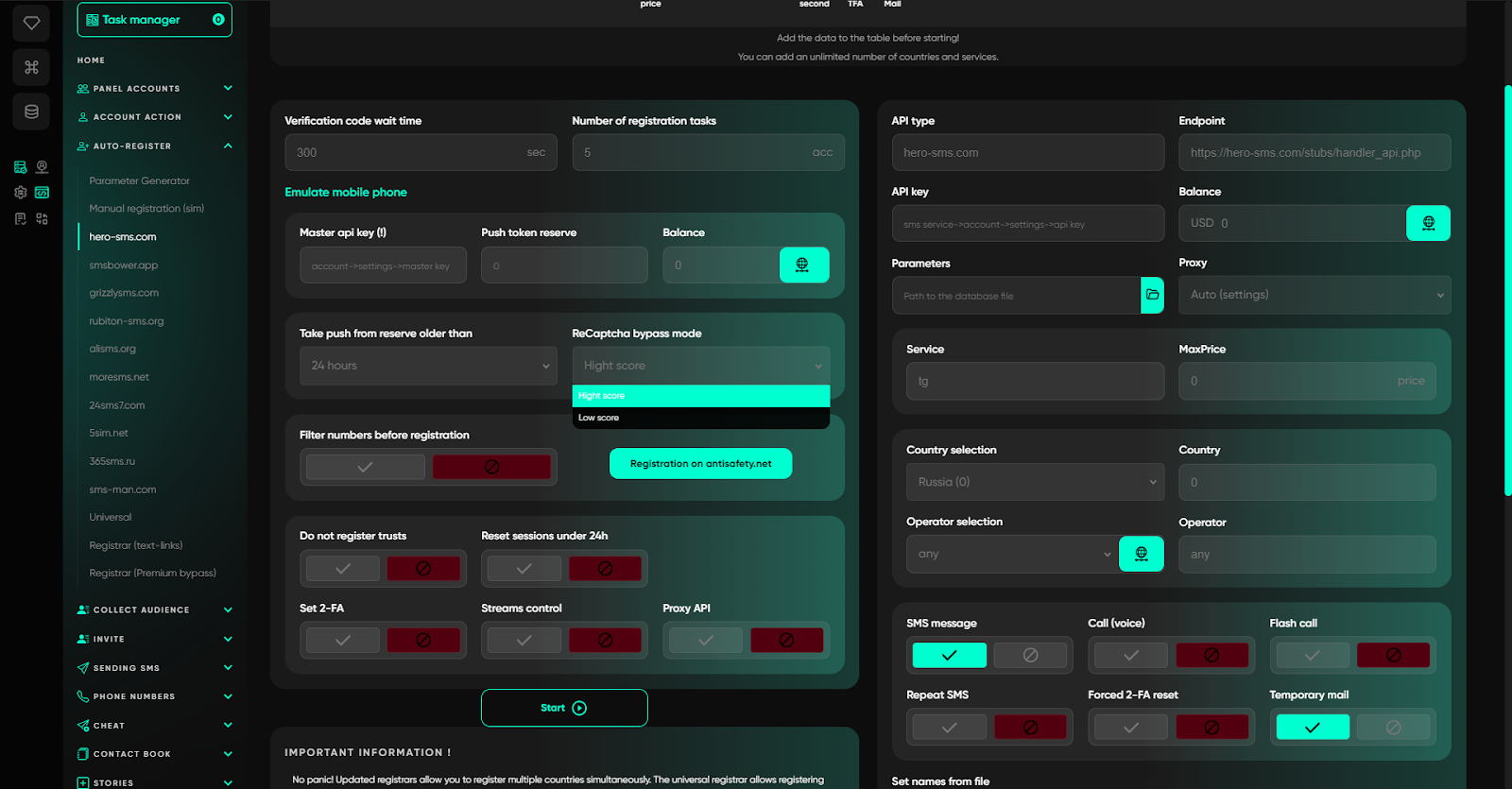
After the code is successfully entered, the software completes account creation: it sets the name and profile photo if specified in the settings, configures or resets two-factor authentication (2FA), and saves the finished session to the selected folder. No user intervention is required at this stage. In the end, you get a fully ready-to-use account with a unique digital fingerprint, clean proxies, and a verified number — without routine work or downtime.
In addition, to bypass email verification requirements, the software can integrate with temporary email services and supports domain generation.
Why Proxies Matter for Successful Registration
Even perfectly generated device parameters are useless without a quality network. In Telegram work, proxies are not just a way to hide your IP — they are the foundation of stability.
Telegram Expert supports flexible proxy workflows, which is especially critical during registration. For example, you can configure country-code binding so that an Indonesian number is registered strictly through an Indonesian proxy. The software works only with IPv4, supports HTTP and SOCKS5 protocols, and allows you to check whether proxies are alive right before launching a task.
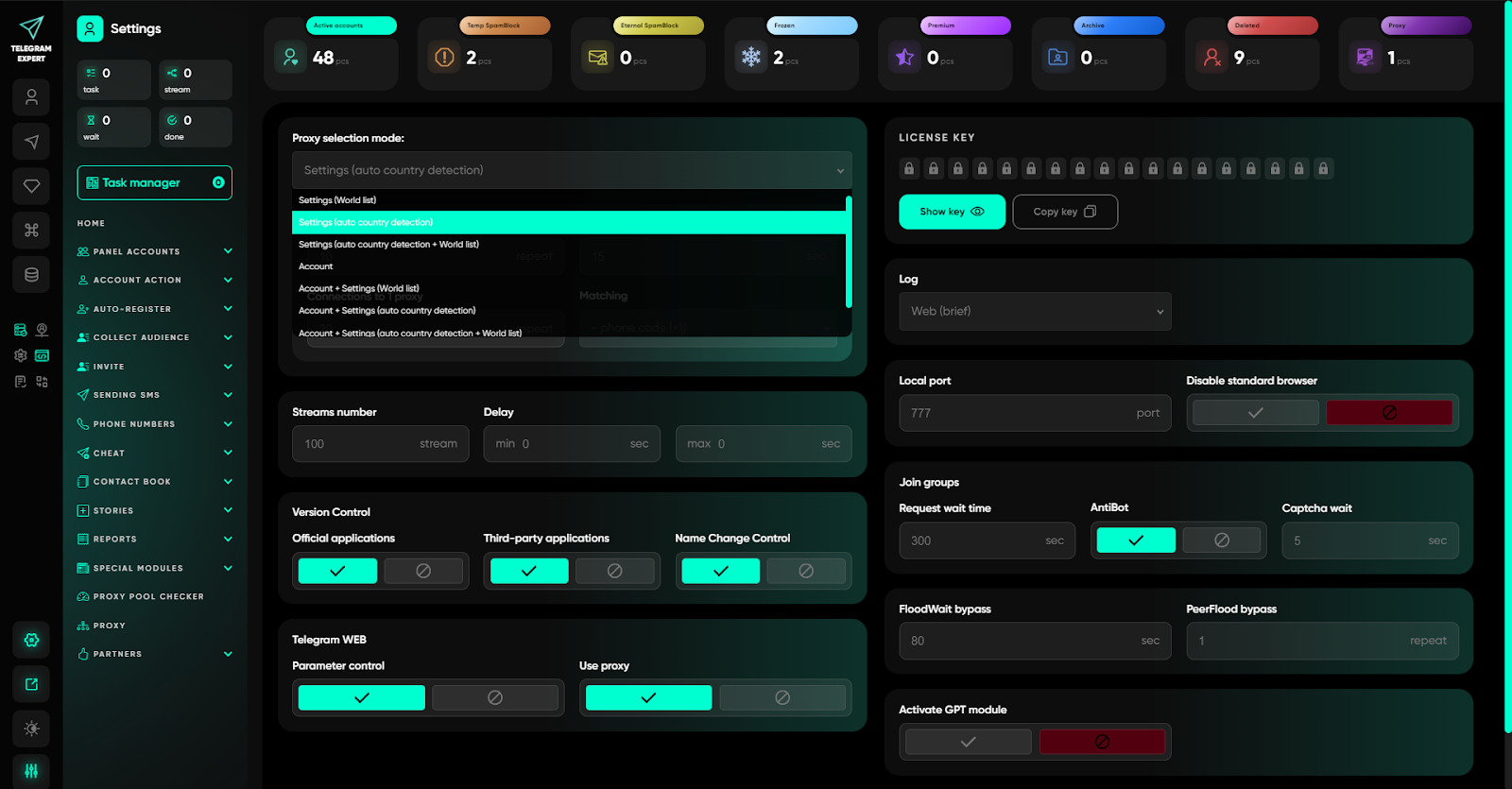
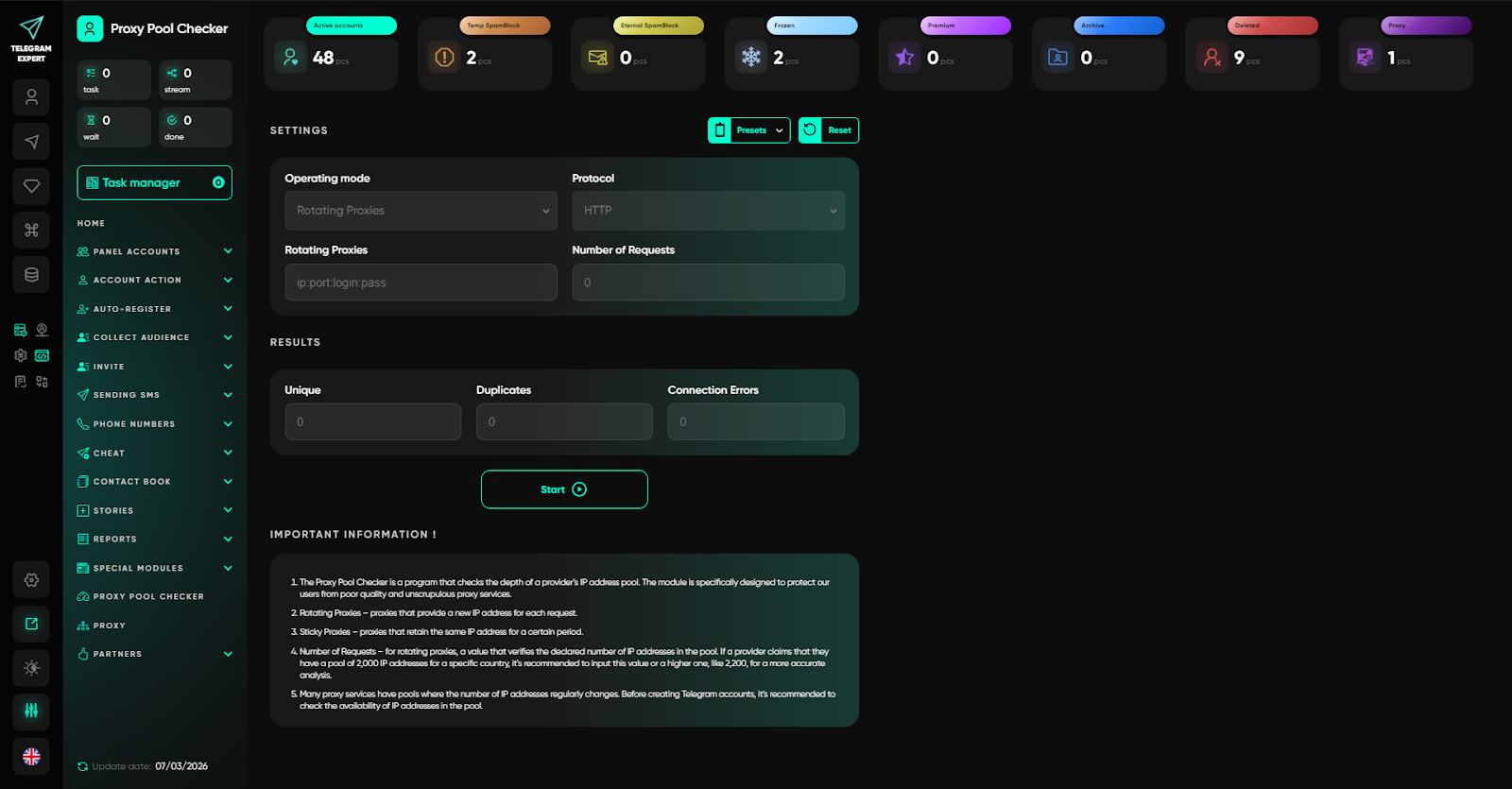
The "Proxy Pool Checker" deserves special attention. This tool analyzes proxies for IP uniqueness. For sticky static proxies, there is a strict rule: 1 proxy = 1 unique IP. If a check shows that a pool of 100 addresses actually uses only 50 real IPs, that is a direct signal that you should not work with such a provider — accounts will overlap and quickly fall under restrictions.
Summary
Registering Telegram accounts in 2026 is a process that requires a comprehensive approach. Success is built on three components: quality numbers, clean proxies, and a unique device fingerprint.
Telegram Expert automates the creation of this fingerprint, turning a manual and risky process into a predictable workflow. The software does not just create an account; it prepares it for safe operation right away, minimizing ban risks and saving time on technical details.



 Flux Stream Network Limited
  RM A5,7/F, ASTORIA BUILDING, NO.34 ASHLEY ROAD, TSIM SHA TSUI, HONG KONG