 Language



Everybody picks rotating residential for rank tracking. It's the default answer. Ask in any scraping Discord and you'll get the same reply inside ten seconds. "Just use rotating residential, bro."
And for a few thousand keywords a day? That holds up fine.
But then you scale to 50k keywords, add local packs, add page 2 and page 3, and your data starts looking like swiss cheese. Missing positions. Weird rank jumps. Results from the wrong city. Your client asks why they fell from 4 to 19 overnight and you've got nothing good to say.
So let's talk about what actually breaks. Not theory. The stuff that bites you at volume.
First, a sanity check on your pool
Before blaming your code, blame your IPs. Most "residential" pools are not what the sales page claims. Some are recycled datacenter ranges wearing a costume. Some are just burned out, since thousands of scrapers already cooked those addresses last month.
If you want numbers instead of promises, there's solid residential proxy pool test data out there from folks who actually bought accounts and ran fraud checks across hundreds of addresses. Ten minutes of reading before you spend money. Worth it.
You can also test your own IPs. Pull a sample of 50, then run them through:
- IPinfo and look at the usage type field. If it says hosting or datacenter, that is not residential. Doesn't matter what you paid.
- Scamalytics for a fraud score. Anything above 30 and search engines treat you like a bot.
- MXToolbox blacklist check to catch IPs already sitting on public blocklists.
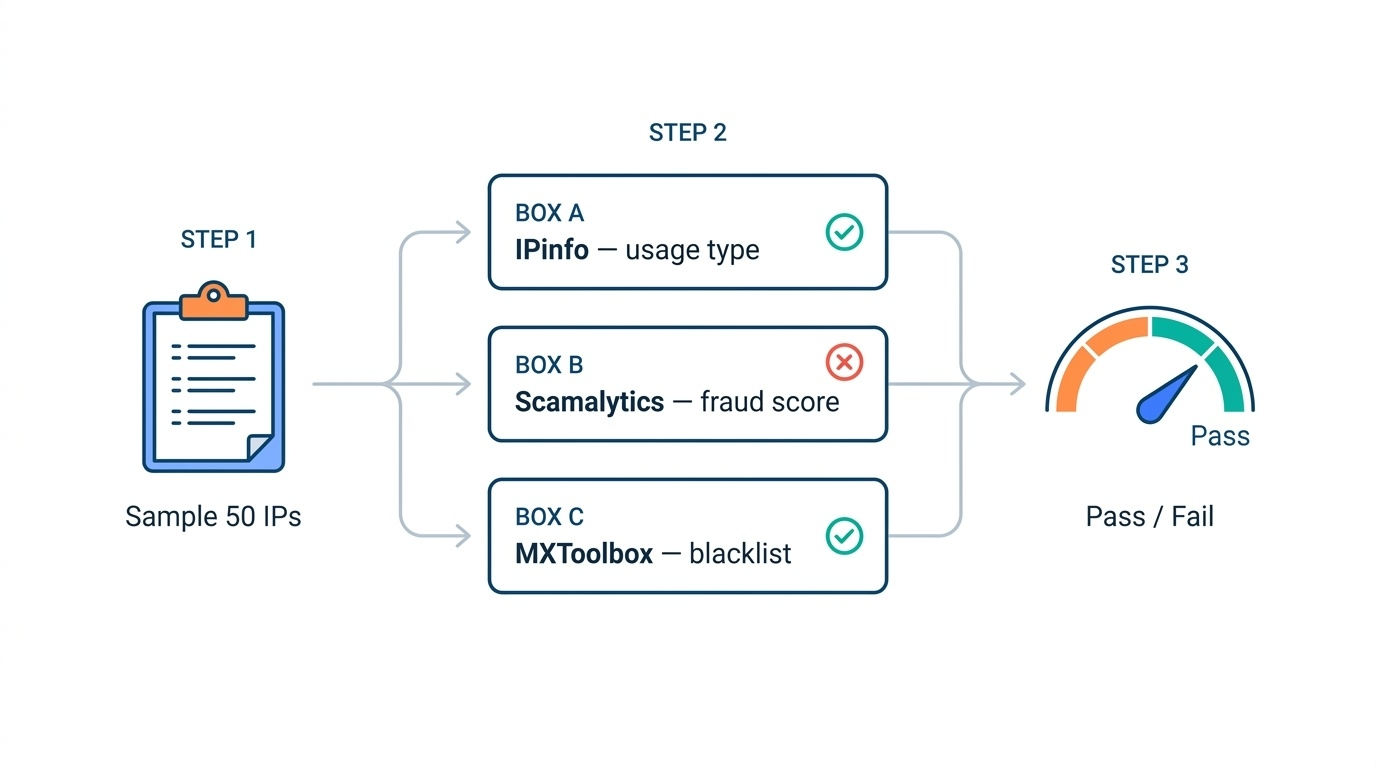
Twenty minutes of work. Saves you weeks.
Why rotation wrecks pagination
Here's the part nobody tells you. Search results are not a static document. They're a session.
When you ask for page 1, the engine hands you a result set tied to a bunch of signals. Your IP, your geo, your cookies, sometimes a token buried in the URL. Ask for page 2 from a different IP in a different city and you're not getting page 2 of your query. You're getting page 2 of somebody else's query.
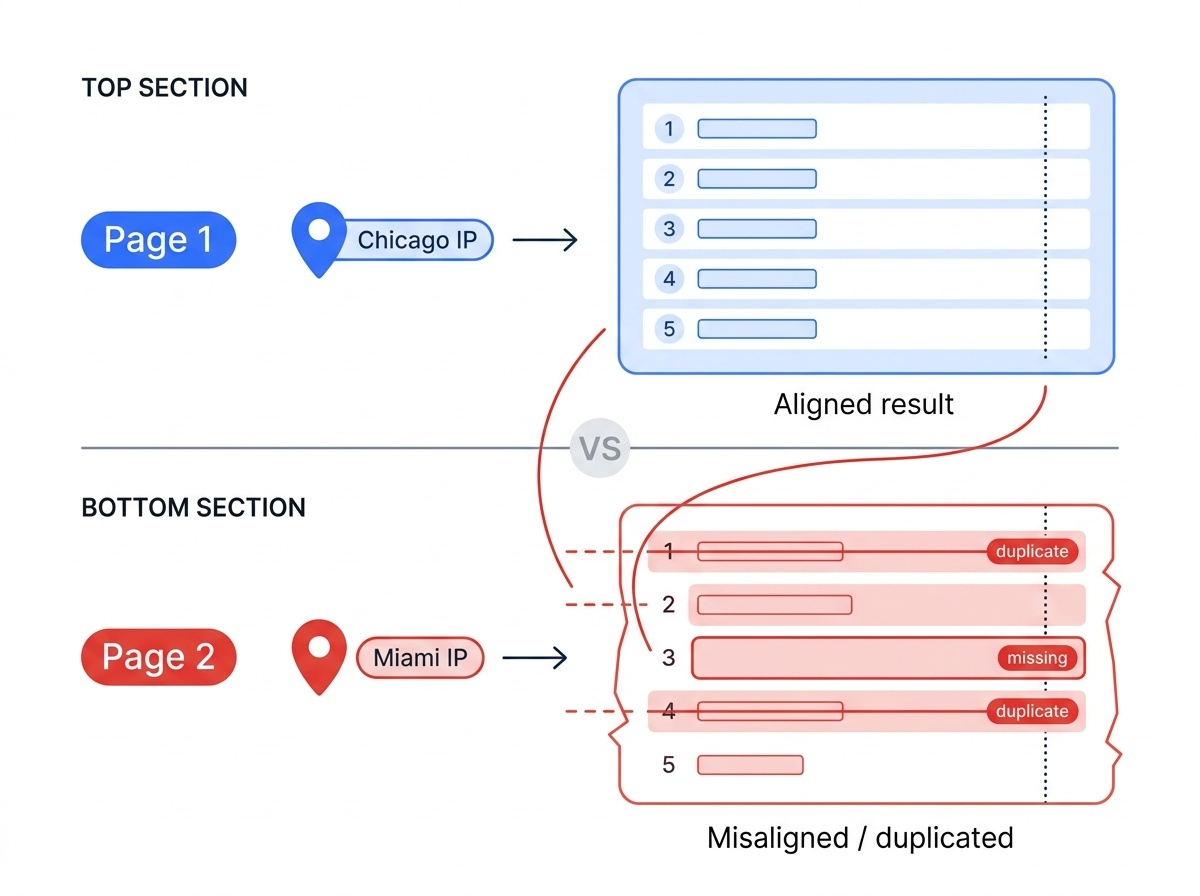
Which gives you:
- Duplicate results. Position 11 shows the same domain as position 7, since the two rows came from two different result sets.
- Missing results. A domain that ranked 14 just vanishes. It was there. You looked away for one request.
- Geo drift. Page 1 came from a Chicago IP, page 2 from Miami. Your local pack is a different animal now.
- Plain re-ranking. Some engines re-score between calls. Same query, same second, different order.
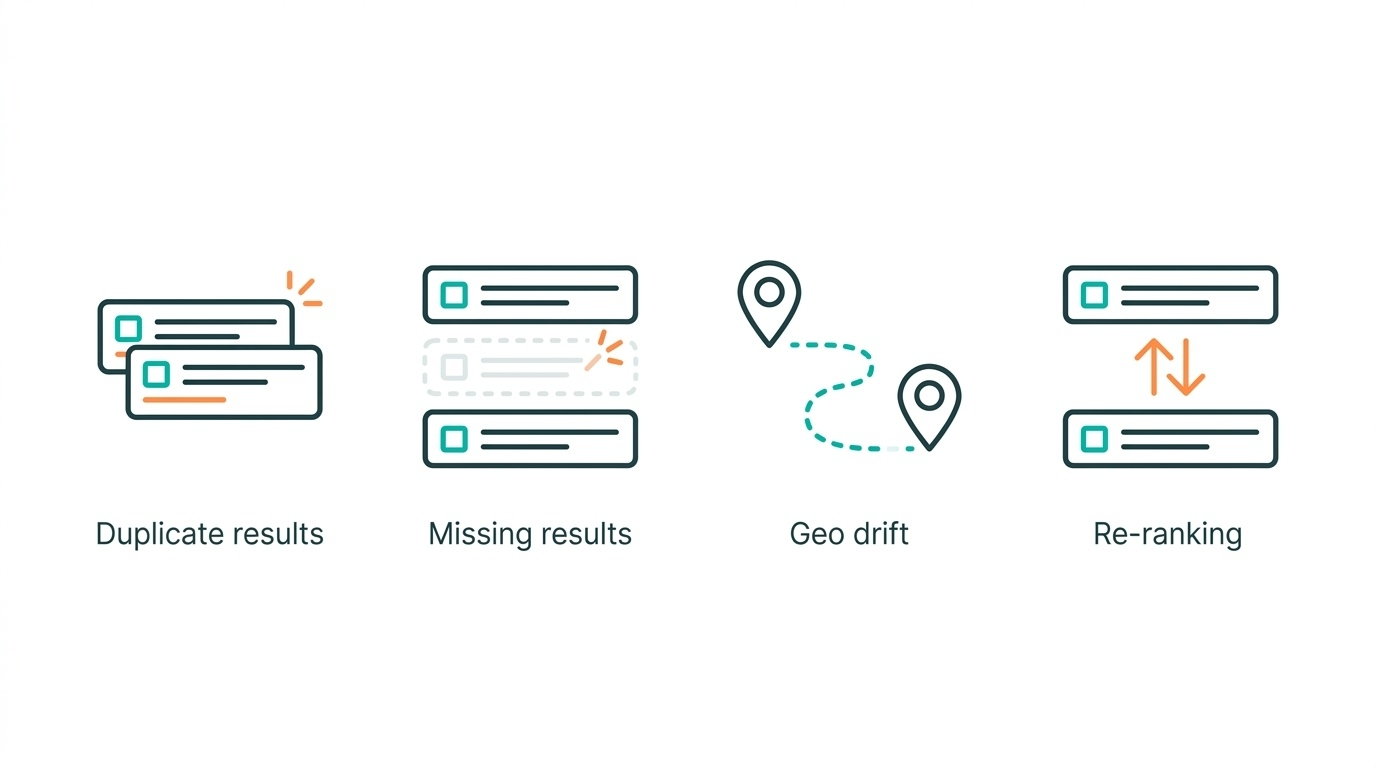
This gets uglier the deeper you go. Page 1 stays mostly stable. Page 4 is chaos.
The fix is boring, and it works. Either grab everything in one request with a bigger result count, or lock a sticky session for the whole keyword. Not for the whole job. For the keyword.
The table nobody writes honestly
|
Factor |
Rotating residential |
Static residential (ISP) |
|
Page 1 only, high volume |
Great |
Overkill, and pricey |
|
Deep pagination |
Bad, session keeps breaking |
Great |
|
Local pack accuracy |
Depends on geo targeting quality |
Very good, the IP stays put |
|
Cost per 100k queries |
Usually cheaper |
Usually higher |
|
Burn risk |
Low, you're always fresh |
High, one IP, one reputation |
|
CAPTCHA rate |
Moderate but steady |
Low at first, then a cliff |
|
Debugging |
Painful, new IP every call |
Easy, you know who broke |
See that "cliff" bit? That's the static residential trap. Your ISP proxies run beautifully for three weeks. Then one gets flagged and it's dead for good. Rotating pools heal themselves. Static ones don't.
My honest take: run both. Rotating for the wide page-1 sweep, static for deep pagination and local packs. Costs a bit more. Ruins fewer weekends.
How to actually count success rate
This is where most teams fool themselves.
They count HTTP 200s. Which is useless. A CAPTCHA page returns 200. A consent wall returns 200. An empty results page returns 200. Your dashboard says 98% success and your data is trash.
Count it like this instead.
Real success rate = (responses you could parse into valid ranked results) ÷ (total requests sent)
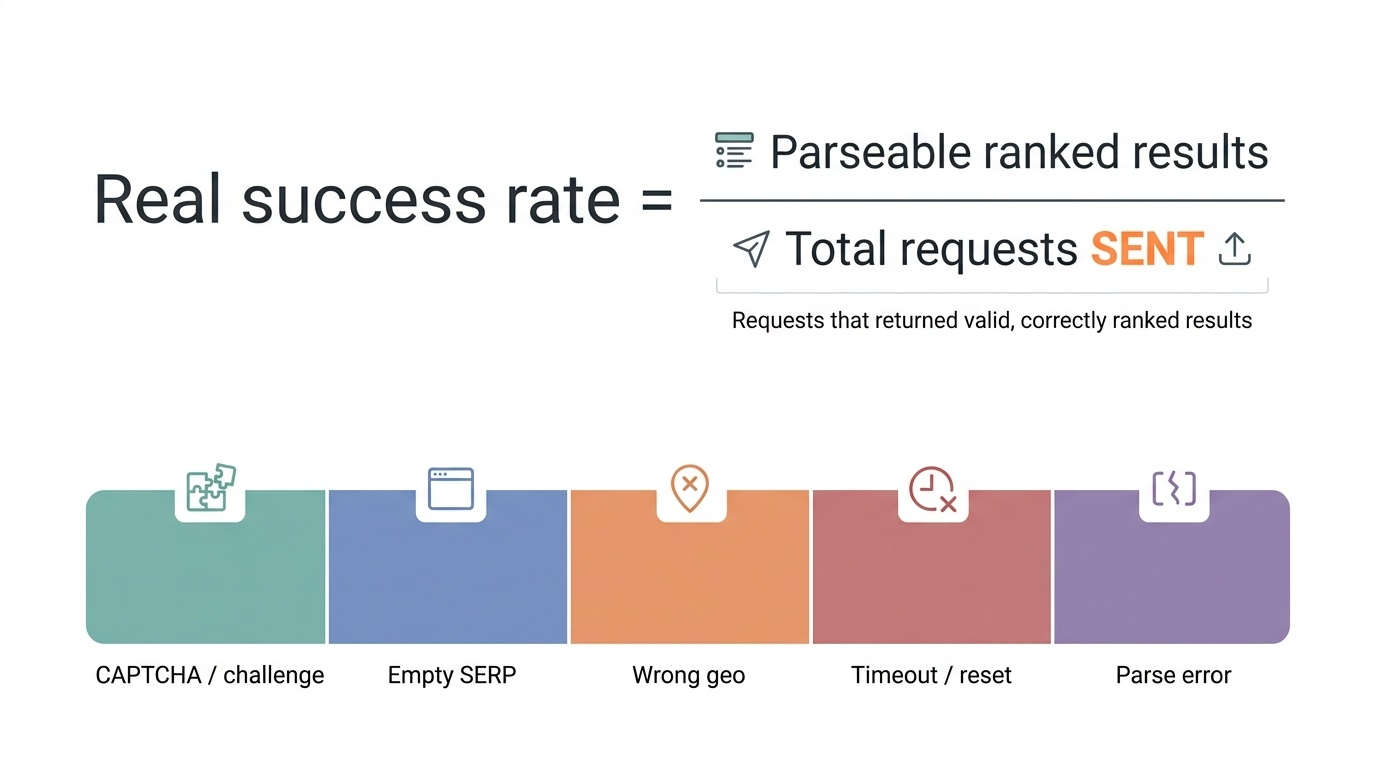
Not requests that came back. Requests you sent. Timeouts count against you.
Then split the failures into buckets, since the fix is different for each one:
- CAPTCHA or challenge page. IP reputation problem.
- Empty SERP with valid HTML. Soft block, usually worse than a CAPTCHA.
- Wrong geo in the footer. Targeting problem, not a block.
- Timeout or connection reset. Pool health problem.
- Parse error on good HTML. Your bug, not theirs.
That last bucket is bigger than you'd guess. Layouts shift. Nobody catches it for two days.
So what CAPTCHA rate is normal?
People always want one number. There isn't one. But here's the rough shape of it from real jobs.
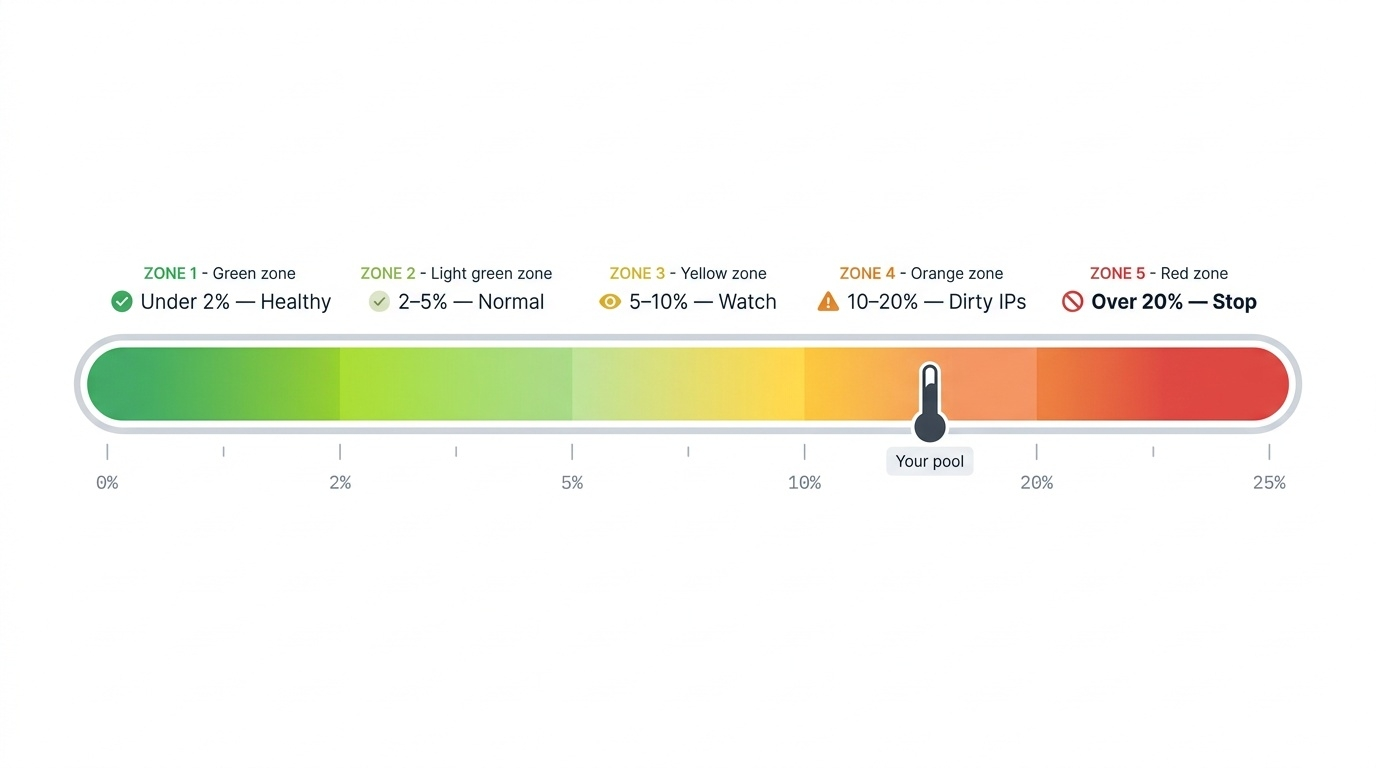
|
CAPTCHA share |
What it means |
|
Under 2% |
Healthy. Ship it |
|
2 to 5% |
Normal at high volume. Keep an eye on it |
|
5 to 10% |
Something's off. Check pacing and pool quality |
|
10 to 20% |
Dirty IPs, or you're hammering too fast |
|
Over 20% |
Stop. You're burning money on every call |
And one small thing that matters a lot. Your CAPTCHA rate should stay flat across the day. If it opens at 1% and climbs to 12% by hour six, you don't have an IP problem. You have a pacing problem. You're cooking your own pool.
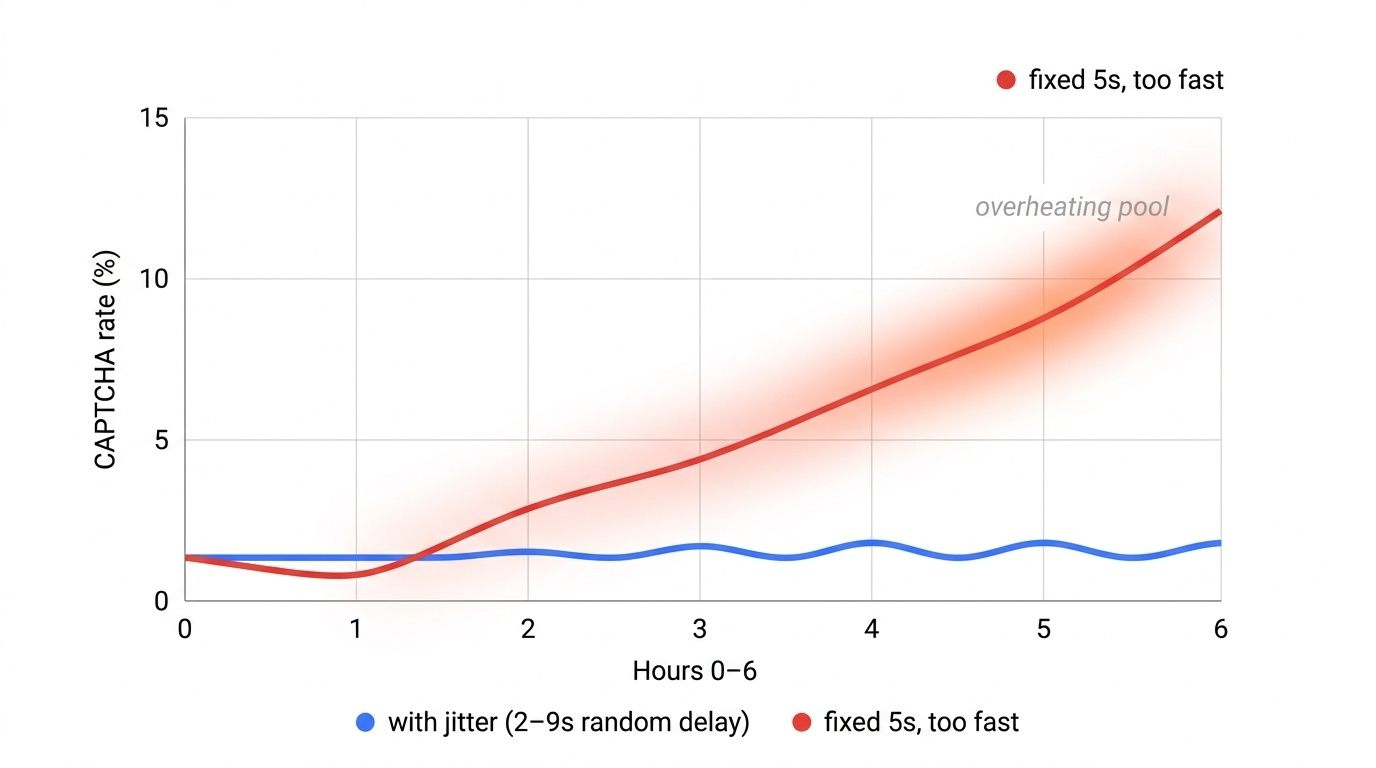
Slow down. Add jitter. Random delays between 2 and 9 seconds beat a fixed 5 every single time.
The short version
- Rotation is fine for page 1. It quietly ruins deep pagination.
- Lock a session per keyword, not per job.
- Static ISP for local packs and pages 2 and up. Rotating for volume.
- Count parseable results, not status codes.
- Under 5% CAPTCHA is fine. Climbing CAPTCHA is the real alarm.
- Test your pool with neutral tools before you trust anyone's marketing copy.
None of this is clever. It's just what you pick up after your third bad month of rank data.
Better to pick it up from a blog post.





 Flux Stream Network Limited
  RM A5,7/F, ASTORIA BUILDING, NO.34 ASHLEY ROAD, TSIM SHA TSUI, HONG KONG